Choose the Retouch Remove Objects Editor APK for your device
File verification, APKS for arm64-v8aSignature matches the developer’s certificate
Unmodified file: same certificate as this app’s versions from the official app store, signed with the developer’s app signing key, managed by Google. A signature shows who signed the file, not how the app behaves. For APKS, the check covers the base APK: Android installs the other parts only if they are signed with the same key.
App permissions
Asks first: 7, Granted automatically: 16
File verification, APKS for armeabi-v7aSignature matches the developer’s certificate
Unmodified file: same certificate as this app’s versions from the official app store, signed with the developer’s app signing key, managed by Google. A signature shows who signed the file, not how the app behaves. For APKS, the check covers the base APK: Android installs the other parts only if they are signed with the same key.
App permissions
Asks first: 7, Granted automatically: 16
Hi, There you can download APK file "Retouch" for Android free, apk file version is 2.3.9.0 to download to your android device just click this button. It's easy and warranty. We provide only original apk files. If any of materials on this site violates your rights, report us
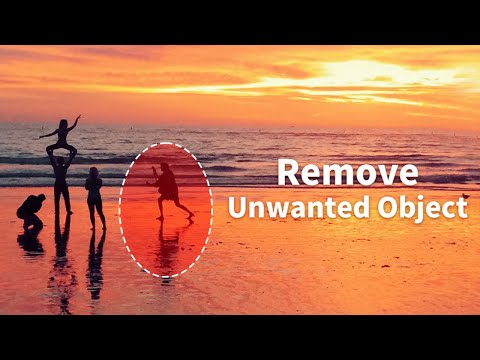
✨ Retouch – AI Photo Retouch & Video Remove App
Retouch is an advanced AI Retouch app built to Remove objects, Remove people, and Remove watermark from photos and videos. With powerful Photo Retouch, Photo Remove, and Video Remove features, Retouch helps you erase anything you don’t want.
Using intelligent AI Eraser technology, Retouch allows you to Remove people, Remove watermark, clean backgrounds, and perform seamless Video Retouch in just one tap.
🧠 AI Object Remove, Remove People & Photo Retouch
Remove Objects & Remove People from Photos
Retouch lets you Remove objects and Remove people from photos naturally. Whether it’s strangers in the background or unwanted elements, this Photo Remove and Photo Retouch Eraser cleans images perfectly.
Remove Watermark & Text Eraser
Easily Remove watermark, logos, captions, or timestamps from images. Retouch is designed to Remove watermark without damaging photo quality, making it ideal for restoring clean images.
Photo Retouch & Blemish Eraser
Use Retouch to Remove people, remove acne, wrinkles, dark spots, and blemishes. This Photo Retouch tool works as a facial Eraser for smooth and natural skin.
🧼 Remove Background & Remove Image Background
Remove Background / Remove BG
Automatically Remove background from photos using AI cutout. The Remove Image Background feature works precisely for portraits, products, and social media photos.
After Remove background, you can replace it with any image or color. Retouch combines Remove BG with Photo Retouch for professional results.
🎬 AI Video Remove, Remove People & Remove Watermark
Video Remove Objects & Remove People
Retouch offers advanced Video Remove tools to Remove people walking through your video, unwanted objects, or background distractions.
Remove Watermark from Video
With AI tracking, Retouch can Remove watermark from videos frame by frame. This Video Eraser ensures smooth playback without quality loss.
Video Retouch & Video Enhancer
Perform Video Retouch while you Remove watermark and Remove people. Enhance clarity using AI Video Enhancer technology.
✂️ Cutout, Paste & Clone After Remove
Cutout & Paste Photo
Cut objects after Remove background or Photo Remove, then paste them onto new images.
Clone Picture Effect
Clone yourself or others after Remove people to create fun and creative photo effects.
🎨 Full AI Photo Editor & Eraser
Retouch is a complete AI Photo Editor with powerful Eraser tools:
Crop, resize, rotate
Adjust exposure, contrast, saturation
Apply filters, fonts, and stickers
Save and share after Remove objects, Remove people, or Remove watermark
🚀 Why Choose Retouch?
✔ Powerful AI Retouch engine
✔ One-tap Remove objects & Remove people
✔ Accurate Remove watermark for photos and videos
✔ Advanced Video Remove & Video Retouch
✔ Easy Remove background / Remove Image Background
With Retouch, simply mark what you want to erase — objects, people, background, or watermark — and let the AI Eraser do the work.
Disclaimer:
- We respect the copyright of the owners.
- Please confirm that you have obtained the owners' permission or authorization before using this Application.
- This Application is only for your personal study and research use. Please do not use it for commercial purposes.
- We are not responsible for any intellectual property infringement caused by your unauthorized actions.
Explore the version history of Retouch Remove Objects Editor for Android and see how the app has evolved over time. This section tracks versions added to the apkcafe-ir.com catalog, including download size, declared permissions, and Android compatibility. Select a time period or a point on a chart to explore historical version data.
6 new Retouch Remove Objects Editor versions were added to the apkcafe-ir.com catalog in 2026. The catalog contains 23 versions dating back to August 2021.
The Retouch Remove Objects Editor download size for most phones increased from 80.49 MB in version 1.0.0.3 (2021) to 131.94 MB in version 2.3.9.0, a 64% increase. 9 of 23 versions in the catalog are APKS (split APK), starting with version 2.2.4.3 (April 2025).
Retouch Remove Objects Editor 2.3.9.0 declares 23 permissions, 10 more than version 1.0.0.3 from 2021 (13).
Retouch Remove Objects Editor 2.3.9.0 requires Android 7.0 or newer and is built for Android 16; version 1.0.0.3 from 2021 ran on Android 5.0 or newer.
Older versions of Retouch Remove Objects Editor. The apkcafe-ir.com catalog has 23 versions of Retouch Remove Objects Editor, from 1.0.0.3 (Aug 2021) to Retouch Remove Objects Editor 2.3.9.0 (Oct 15, 2026). If the latest version has a bug, changed something you rely on or does not work on your phone, you can install an earlier one from the list of older Retouch Remove Objects Editor APK versions below.
Version 2.3.9.0 needs Android 7.0 or newer. On older phones: Android 6.0 runs up to version 2.3.8.0 (Sep 2026), Android 5.0 runs up to version 2.1.6.1 (Mar 2023).
Android does not install an older version over a newer one, so uninstall Retouch Remove Objects Editor first. This usually deletes the app's data on the phone, so back up anything you need.
Dates show when each version was added to the apkcafe-ir.com catalog. Size is the full download for most phones (APK and split parts); permissions are for the same build.
A permission shows what the app can access, not that it uses it.
No special hardware required.
No changes since 2.2.7.1.